

Web app vs website: which does your business need?
Website, web app or mobile app? What each one is, how they differ, and a few plain questions that tell you which one your business needs.

On this page9 sections
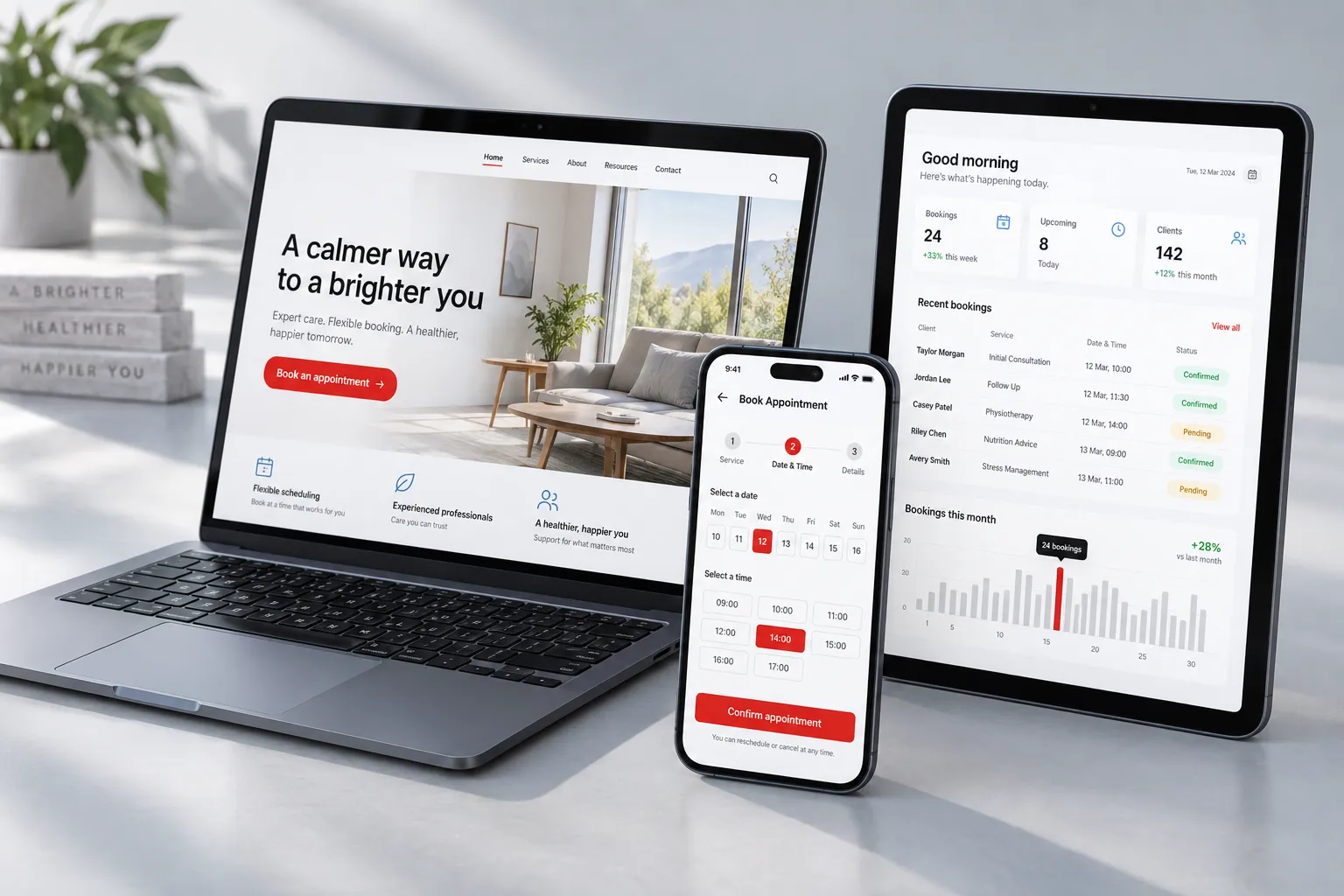
A website is mostly read: it tells people about your business and helps them get in touch. A web app is mostly used: people log in and get something done, like booking, ordering or tracking. A mobile app does that same job from an icon on their phone.
If someone has told you that you “need an app”, or that you “just need a website”, this guide is for you. It shows what each of the three really is, how to tell which one your business needs, and why the answer is often two of them.
The short answer
The difference between a website and a web app is what people do there. A website is a set of pages people read: it explains what your business does, shows your work, answers common questions and helps visitors call or write to you. Everyone who visits sees the same pages, and its main job is to be found on Google by people who do not know you yet.
A web app is software that runs in the browser. People log in and get something done, such as booking a time, placing an order, tracking a delivery or running a report, and each person sees their own information.
A mobile app does the same kind of job as a web app, but it is installed from the App Store or Google Play and lives on the phone’s home screen, where it can use the camera, location and notifications.
Many businesses need a website to be found and a web app or mobile app for the work that happens after a customer signs up. The rest of this guide shows how to tell which one comes first.
What a website is
A website is the pages people visit to learn about you, find you on Google and get in touch. Everyone sees the same pages, and nobody needs an account to read them.
A good business website answers the questions a customer has before they call: what you do, where you work, what it is like to work with you and how to reach you. Its pages are written so that Google can understand them and show them to people searching for what you offer.
That is the website’s real job, and no app replaces it. An app helps people who already know you; a website is how new people find you in the first place. Our custom websites are built for exactly that job.
What a web app is
A web app is software that runs in the browser, where people log in and do things. They book, order, track, manage and report, and each person sees their own information.
There is nothing to install. A web app works on a laptop, a tablet or a phone, from a web address, and when you publish an update everyone has it the next time they open the page.
Web apps suit work that happens again and again: a customer reordering stock, staff checking their schedule, a manager pulling this month’s numbers. If the same people come back to do a task, it is probably an app job.
Is a web app just a website?
A web app runs in a browser like a website, but people log in and do things, so it is a different kind of build. A website shows the same pages to everyone. A web app shows each person their own orders, bookings or records, and has to keep them safe.
The line is not always sharp. Many websites have small app parts, like an online store where shoppers create an account and track their orders. That middle ground is common, and it usually means a website with a few app features rather than a full web app.
What a mobile app is
A mobile app is installed from the App Store or Google Play and sits on the phone’s home screen. It can use the phone’s camera, location and notifications in ways a browser cannot always match.
That makes a mobile app strong for things people do often and on the move: checking in, scanning, getting a reminder at the right moment. It is weaker for being discovered, because people have to know about you and choose to download it.
Each store has its own review and update steps. A new version of the app goes through the store before people can download it, so changes take more planning than changes to a web app.
Side by side
| Question | Website | Web app | Mobile app |
|---|---|---|---|
| What people do | Read and contact | Log in and get things done | Log in and get things done on the phone |
| How they get it | A web address | A web address | An app store download |
| Login | Usually none | Yes | Yes |
| Updates | You publish, everyone sees it | You publish, everyone sees it | Each update goes through the app stores |
| Found on Google | Yes, that is its job | The public pages can be | No, the store listing is |
Examples you can open
The difference is easiest to see in real projects. Here are four of our latest projects, from a plain website to a web app with AI inside, all on our Work page.
A website: Sar Hascarot. A one-page site for a van rental business in Lakewood, New Jersey: “Fifteen seats. One call.” It shows the van, how many vans a group needs and how to book by phone, with no online booking. Everyone sees the same page, and its job is to be found and get the call.
A website with app parts: Mod&Tone. An online store for tights, socks and gloves where shoppers browse by category and size, buy with an account and track their orders. It is a public site that people also log in to, which is the middle ground described above.
A web app: Bulktify. An ordering platform for wholesalers. Retailers log in to their own ordering portal, and the wholesaler runs everything from a dashboard. Each person sees their own orders and prices, which is what makes it an app.
A web app with AI inside: Translatetify. Users log in, upload the files that hold their app’s or website’s words, translate them with AI, edit the results and export them. Most of the app is ordinary app work around one AI step.
Which one does your business need?
Start with what you want people to do, not with the kind of software. The questions below come first, then four yes or no questions that settle most cases.
Is it better to use an app or a website?
A website is better for being found and making a first contact; an app is better for repeat tasks by people who already know you. Most visitors will never install an app for a business they are only checking out, but they will read a page.
Once someone is a customer, the balance changes. If they reorder every week or book every month, an app saves them time and keeps them coming back to you.
Why use an app over a website?
Use an app when people need to log in and get a task done, and come back to do it again. An app remembers who they are, shows them their own information and lets them act on it in a few taps.
A mobile app adds the phone itself: the camera, location and notifications. If your customers or staff need those, a website cannot do the job.
Do people need to log in?
If no, you need a website. If yes, you need a web app or a mobile app, or a website with app parts for a small task like order tracking.
Will they use it every day, on their phone?
If yes, a mobile app is worth weighing. Something on the home screen gets used more than a page people have to find again.
Does it need the phone’s camera, location or notifications?
If yes, a mobile app. Scanning, checking in at a place or a reminder that arrives at the right moment are the jobs a phone app is made for.
Do you need new customers to find you on Google?
Then you need a website, whatever else you build. People search before they buy, and an app does not show up in those searches the way a website’s pages do.
Often the answer is two of them
Many businesses need a website to be found and a web or mobile app for the work that happens after. The website brings people in; the app looks after them once they are customers.
The two can share one design and one login, so customers move from your site into their account without feeling they have left you. Building them with one team keeps the look, the words and the data in step. Our web and mobile apps page shows how we approach that.
What about the cost?
A web app usually costs more than a website, because of the logins, the data each person sees and the work to keep it safe. Our guides to what an app costs and what a website costs explain what drives each price.
Not sure? Talk it through
Describe what you want to happen, and we will tell you which kind of build fits. On a free call, we ask how your business runs today and what you want customers or staff to be able to do.
You come away with a plain answer: a website, a web app, a mobile app or a mix, and why. If it is worth building, you get a fixed quote before any work starts. Read what an app costs first if you like, or go straight to booking a free call.

How Much Does a Website Cost?
What a website costs depends on design, pages, features and who writes it. See what drives the price, real survey figures, and how to get a fixed quote.
How Much Does It Cost to Build an App?
What drives the cost of a web or mobile app: features, platforms, design, connections and upkeep, with real survey figures and how to get a fixed quote.